K. Kuutvuori

What began as a small content update uncovered a larger issue: users could open a project, but had little guidance on which one best matched their needs.

Role
Product Designer
Result
The redesign reduced friction at startup, improved project discoverability, and helped users get to meaningful work faster.
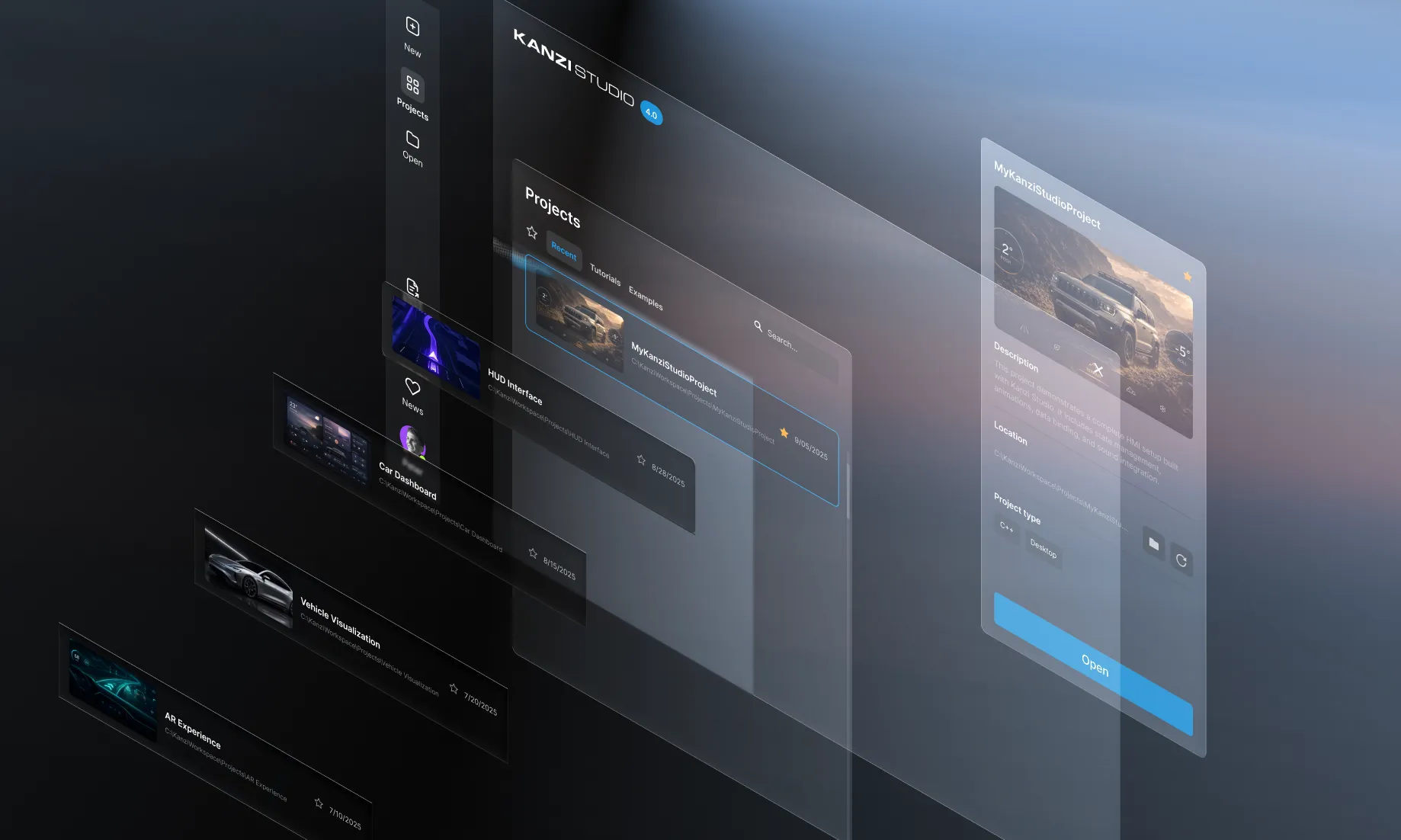
Kanzi Quick Start interface showing project choices
The brief was smaller than the problem.

The original task was to separate tutorials and examples from the installer.

Kanzi Studio was gradually transitioning from a legacy interface toward a renewed design system.

New and old patterns often had to coexist, so my role was to help bridge both systems while keeping workflows coherent and implementation realistic.

  1. Legacy UI

    • Established workflows
    • Existing patterns
    • Technical constraints
  2. Transition / Coexistence

    • Balance old + new
    • Introduce patterns gradually
    • Collaborate with developers
    • Maintain product coherence
  3. Renewed System

    • Reusable components
    • Interaction patterns
    • Accessibility
    • Emerging token workflows
During the investigation

Looking at the wider startup journey with the Product Owner revealed a larger issue: project options were difficult to discover, compare and understand before opening them.

Quick Start shouldn't just launch a project. It should help users choose the right one.

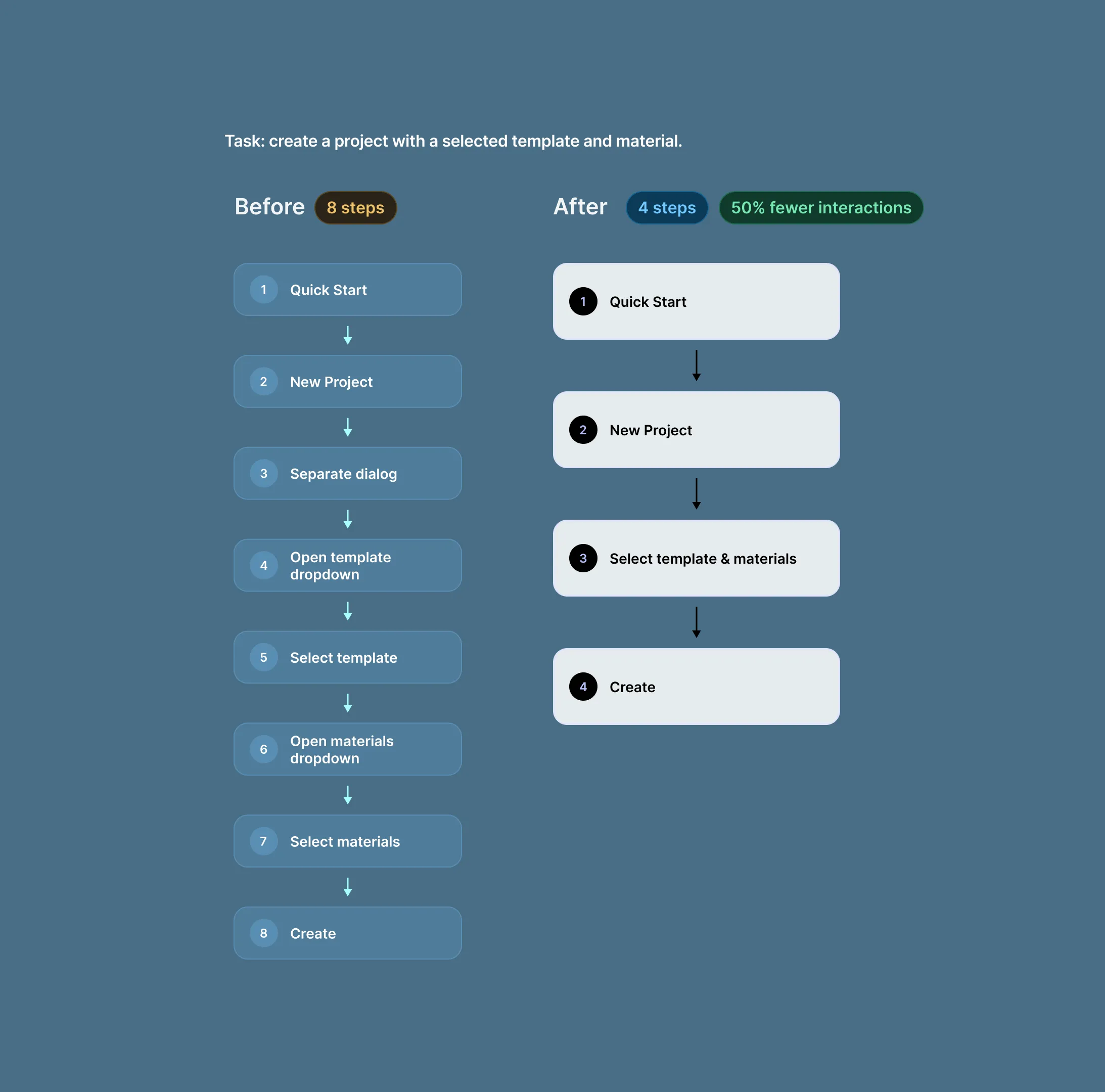
8 → 4 interactions

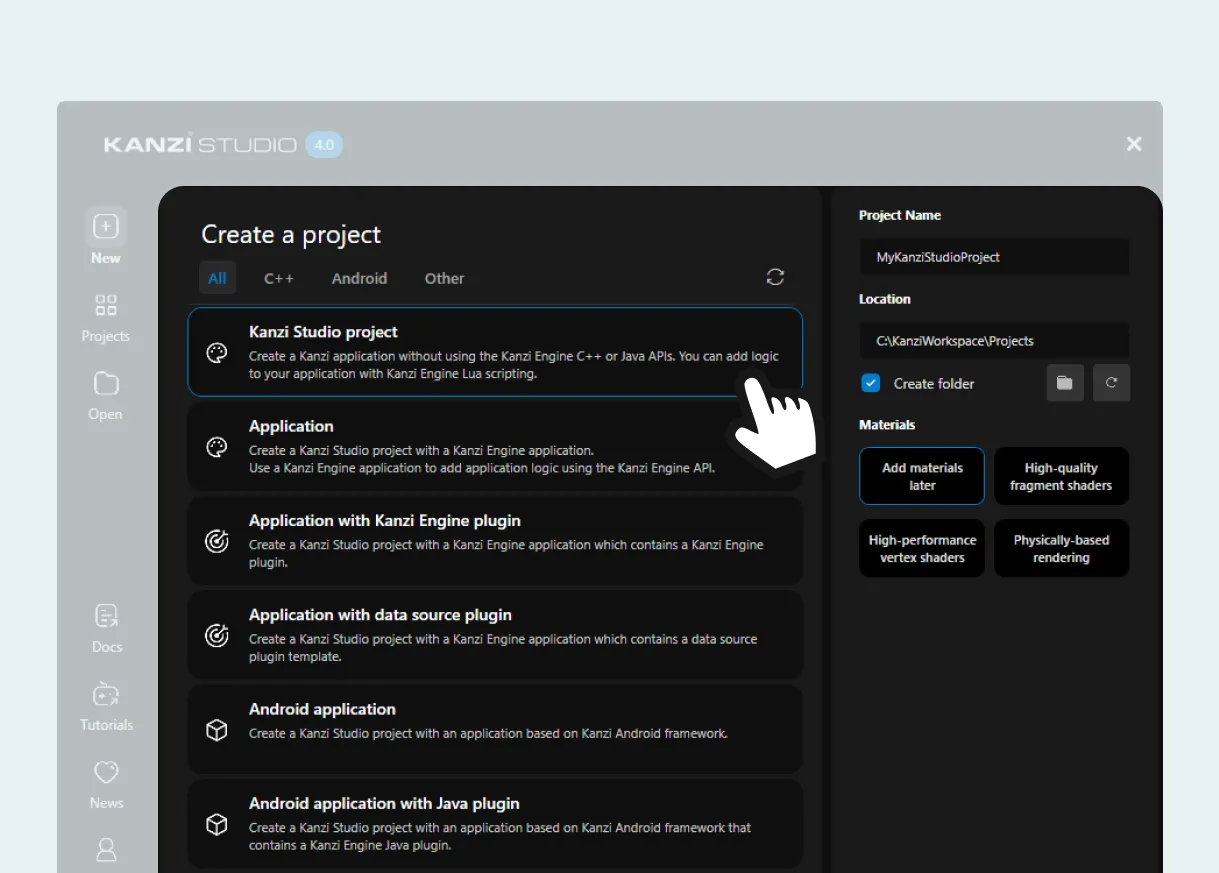
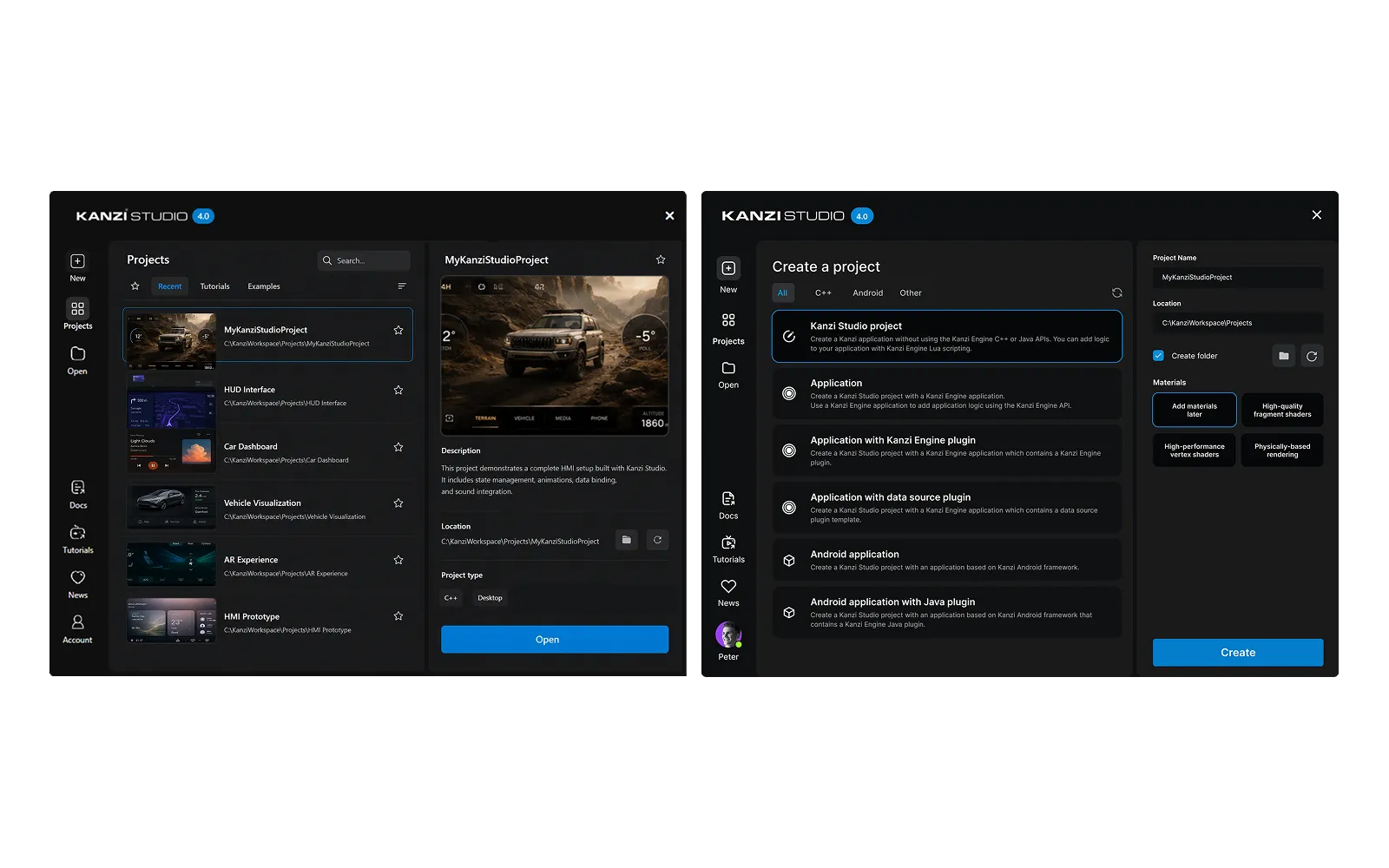
Bringing template and material choices into Quick Start removed the need to move between separate dialogs.

Same task. Half the interactions.

Create a project with a selected template and material.

50% fewer interactions

Before

8 steps
  1. Quick Start
  2. New Project
  3. Separate dialog
  4. Open template dropdown
  5. Select template
  6. Open materials dropdown
  7. Select materials
  8. Create

After

4 steps
  1. Quick Start
  2. New Project
  3. Select template & materials
  4. Create
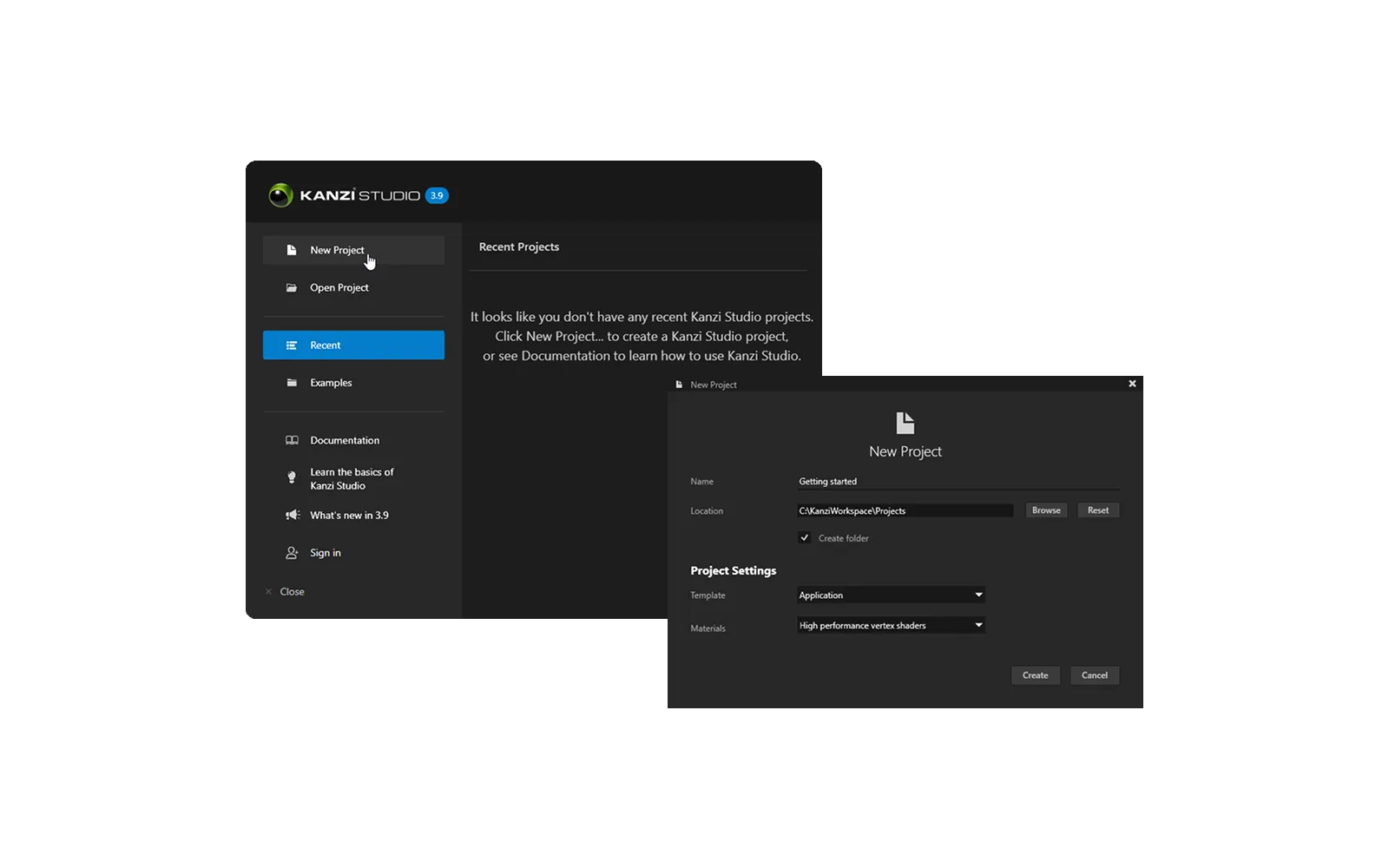
Original multi-step Kanzi project creation flow

Clearer choices before project creation

Design for longevity

Show choices before controls

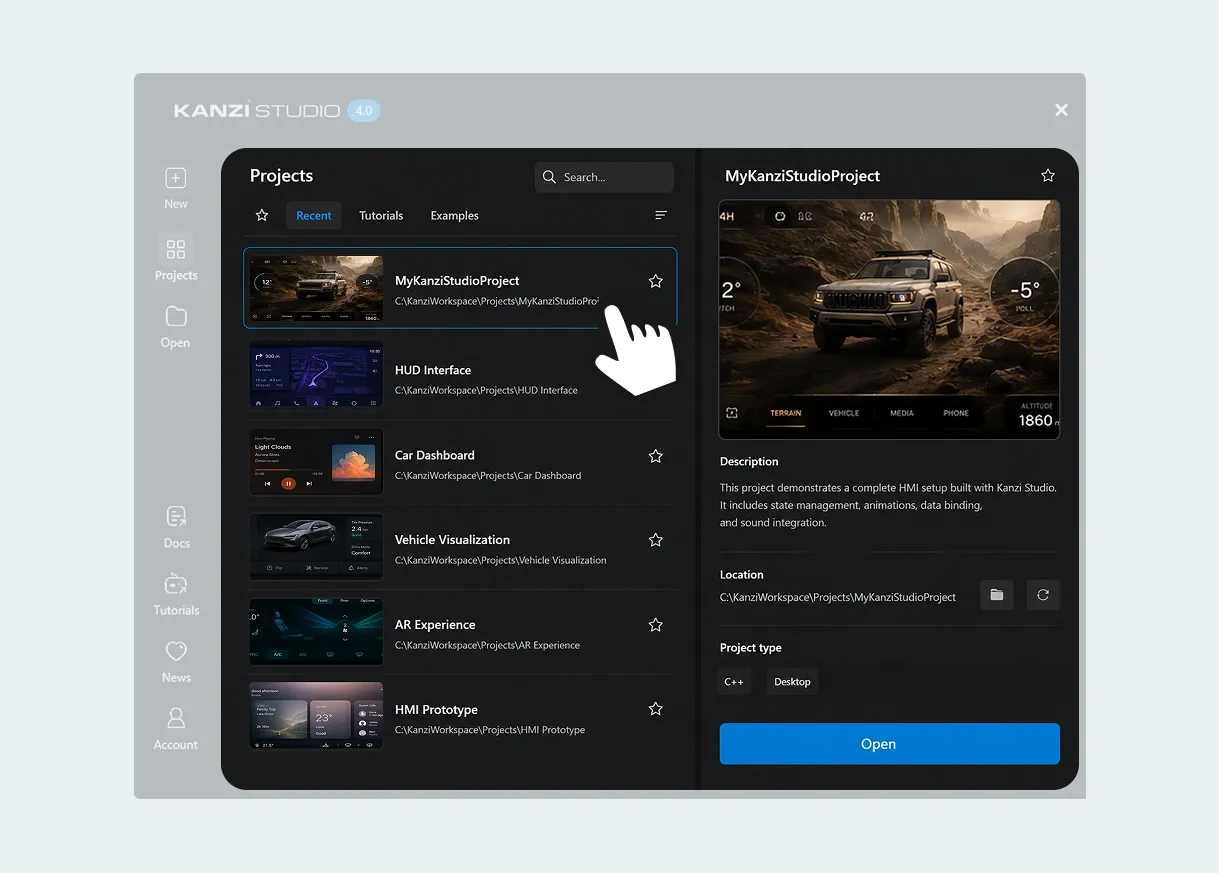
Replace hidden options with visible project types.
Design for longevity

Design for growth

Use filtering that scales as the content library expands.
Design grid

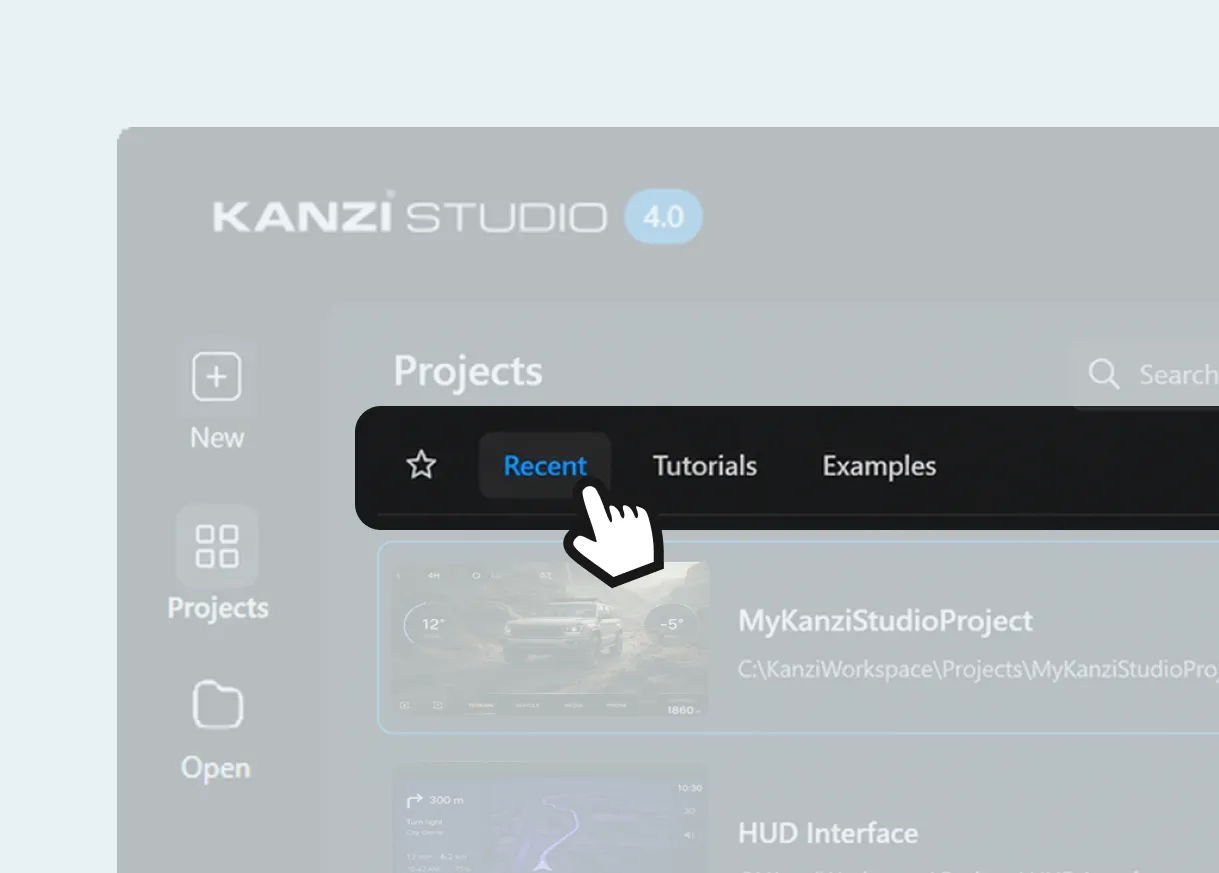
Preview before committing

Give users enough context to choose before opening a project.

Keep more of the starting journey in one place.

Content shouldn't wait for the next release.

Learning content could be updated independently instead of being tied to the product release cycle.

Sign-in should give something back.

Account information and relevant actions were surfaced directly in Quick Start, reducing the need to leave the starting experience.
From knowing where to look, to seeing what’s possible.

Redesigned Kanzi Quick Start interface

The interface shows users what is possible

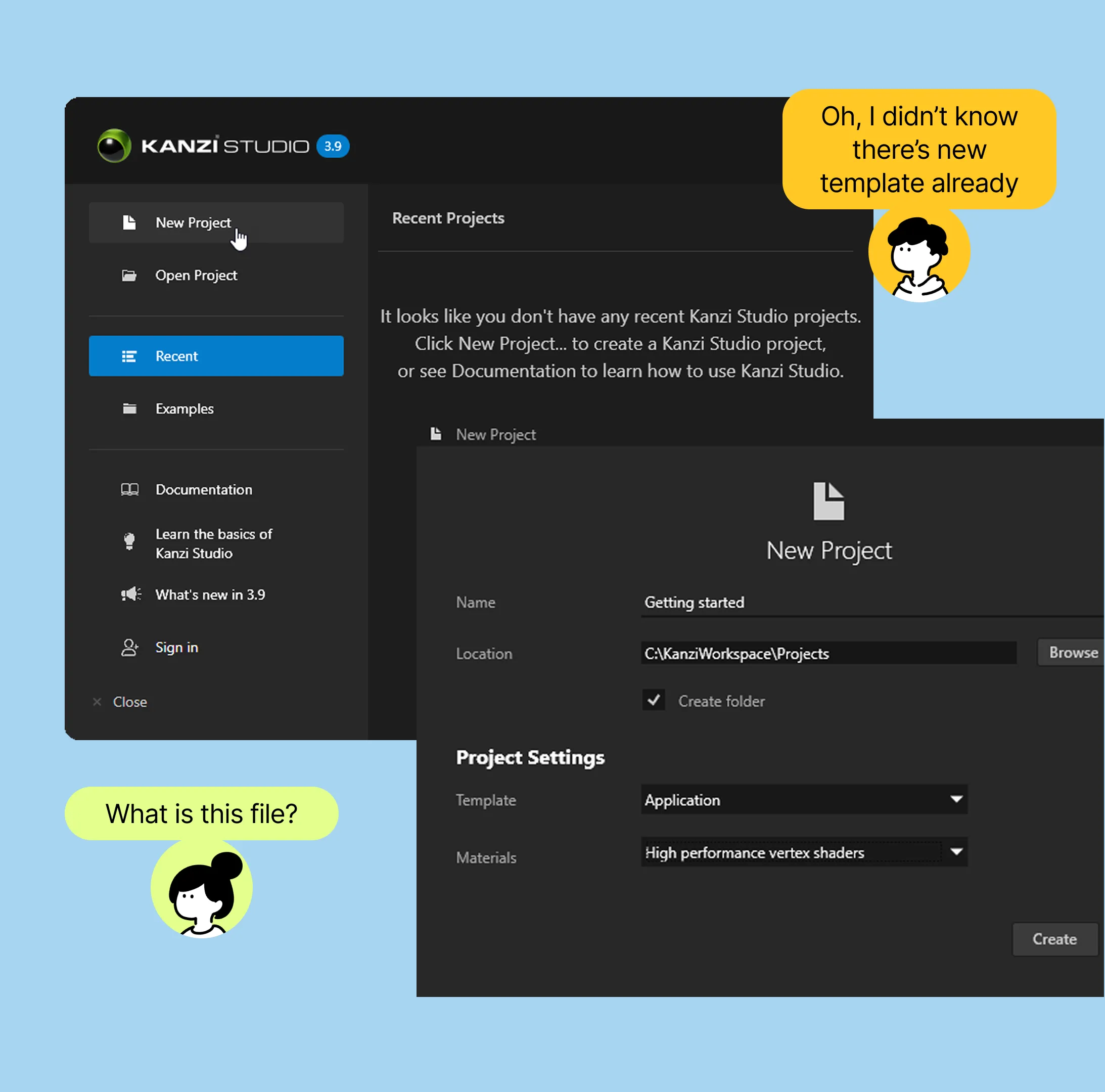
Previous Kanzi project creation interface

Users had to know where to look.

Before After
Drag to compare. Or focus the handle and use the arrow keys.
Impact
The redesigned Quick Start shipped in Kanzi 4.0, cutting the project-creation flow from 8 interactions to 4 and making templates, materials and project information visible before users commit.
The brief wasn't the boundary.
This project reinforced the value of looking beyond the requested feature. By examining the full starting journey, I was able to turn a content update into a broader improvement to how users discover, evaluate and create projects.